


What is a public procurement contract?
A public procurement contract is a purchase made by a local authority: a municipality renovating its school, a canton resurfacing a road, or an institution replacing its windows. As the money is public, the law requires the purchaser to put companies in competition with one another in a transparent manner.
In French-speaking Switzerland, the rules of the Intercantonal Agreement on Public Procurement (AIMP 2019) apply to municipalities and cantons. The Confederation follows its own law (LMP), which is based on the same principles.
Since the reform, the contract is no longer necessarily awarded to the lowest bidder: it goes to the most advantageous tender. Quality is a mandatory criterion, alongside price.
Which procedure applies depending on the amount?
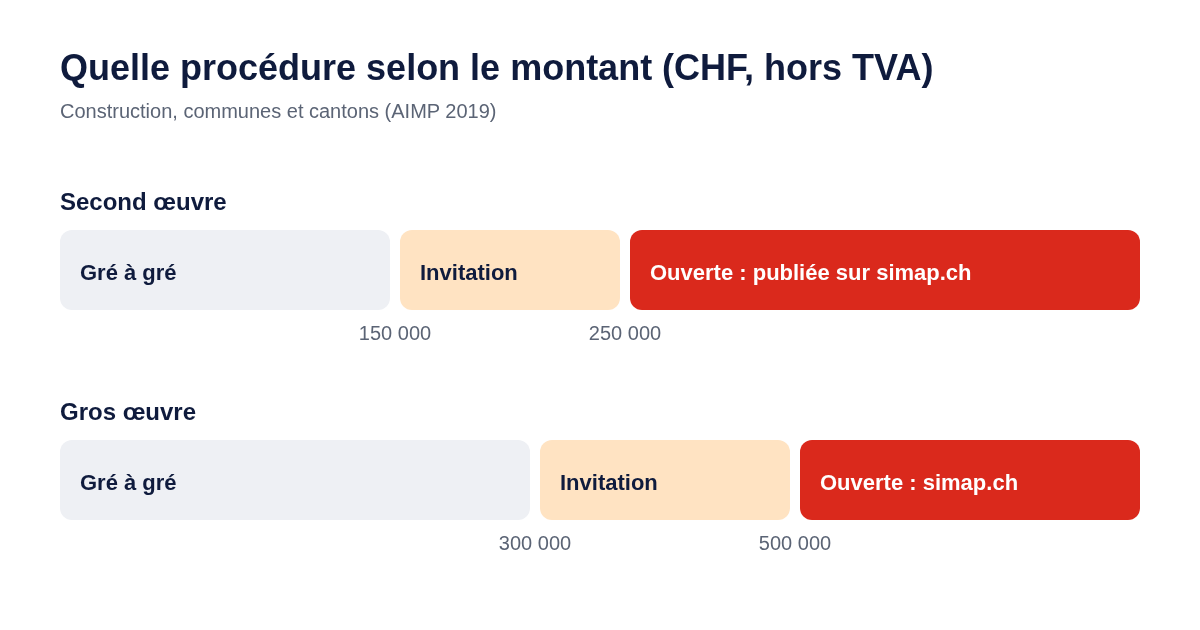
The estimated value of the project (excluding VAT) determines the procedure. For construction, the thresholds are as follows:
| Procedure | Finishing works | Structural work | What this means for you |
|---|---|---|---|
| Private contract | less than CHF 150,000 | less than CHF 300,000 | The buyer chooses a contractor directly. No advertisement. |
| By invitation | less than CHF 250,000 | less than CHF 500,000 | The buyer invites a few companies. No public tender: companies must make themselves known. |
| Open or selective | from CHF 250,000 | from CHF 500,000 | Publication on simap.ch. Any company may tender. |
for small contracts (direct award and restricted tender), municipalities often choose companies they are familiar with. Introducing yourself to your municipality’s technical department and maintaining an online presence can help you be invited to tender.
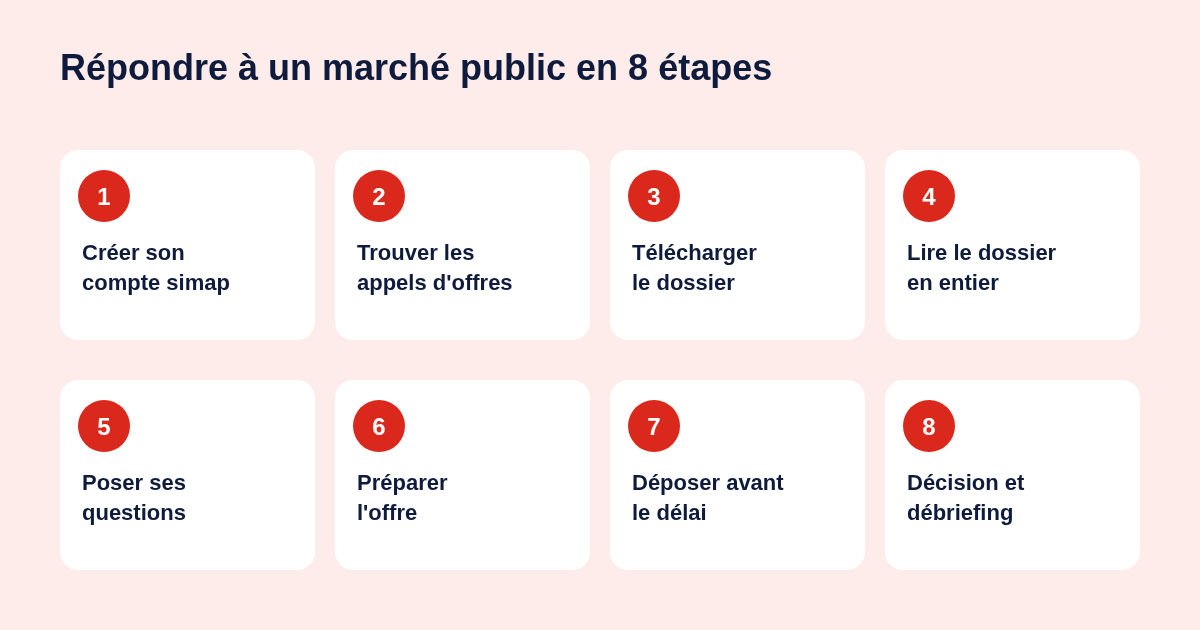
Step 1: Create a simap account (free)
- Create a personal account on simap.ch using your email address, then confirm it.
- Link your account to your company. Using your IDE number (CHE-…), simap automatically retrieves the data from the register.
- If a colleague has already registered the company, send a request: the company administrator will approve it.
Step 2: find tenders in your sector
Two options:
- On RenovSwiss: our Public Construction Contracts page updates every morning with calls for tenders in French-speaking Switzerland, sorted by trade and canton. With a free business account, you’ll receive those relevant to your trade by email.
- On simap.ch: search by keyword, canton or CFC code, then save your search as a subscription to receive alerts.
Step 3: download the tender documents using your own account
On the tender page, express your interest and then open the Documents tab.
Always download the tender documents using your company’s account. This ensures you receive any corrections, answers to questions raised by other companies and any changes to the deadline.
Step 4: read the tender documents in full
Before preparing any quotations, check the tender documents for:
- The deadline and method of submission: date, time, online or on paper, address.
- The conditions for participation: qualifications, references, minimum turnover, certifications.
- The award criteria and their weighting: for example, price 50 per cent, technical quality 30 per cent, references 20 per cent.
- The list of documents to be provided: forms, certificates, signatures.
- Site visits, which may be compulsory.
- Rules on variants, subcontracting and consortia.
Step 5: Ask your questions in good time
Is something unclear? Ask your question in the tender’s Questions and Answers forum before the deadline specified in the tender documents. Responses are sent to all registered companies.
Step 6: Prepare a winning tender
Price matters, but it’s no longer enough. To score points on quality:
- Address each criterion in the order set out in the tender documents. The evaluator should be able to find your answers without having to search for them.
- Provide comparable references: projects of the same type and size, with a contact person.
- Demonstrate your organisation: who is managing the project, how many people are involved, and what the schedule is.
- Fill in all the forms, even the boxes that seem obvious to you.
Prepare your certificates in advance. The application pack specifies which ones are required. The most common relate to social security (AVS, LPP), accident insurance, taxes, VAT and compliance with working conditions.
Step 7: Submit the tender
The application pack explains how to submit the tender: online via simap.ch, by post or in person.
When submitting online, you can add, delete or replace your files right up until you click Submit. After that, the tender can no longer be amended or withdrawn. If an electronic signature is required, check it on validator.admin.ch. To practise without any risk, simap offers a test environment: educ.simap.ch.
The deadline is strict, down to the hour. Any bid received too late will be rejected.
Step 8: after submission
The contracting authority opens the tenders after the deadline, evaluates them according to the published criteria, and then publishes its award decision on simap.ch.
Didn’t win? Request a debriefing meeting: it’s the best way to improve. If you believe the decision contravenes the rules, the deadline for lodging an appeal is 20 days from the date of notification.
Important deadlines
| Step | Deadline |
|---|---|
| Submission of tenders (contracts published in Switzerland) | generally at least 20 days |
| Submission of tenders (major contracts subject to international agreements) | at least 40 days |
| Appeals against an award decision | 20 days from notification |
The 6 mistakes that lead to a tender being rejected
- Submitting after the deadline, even by a few minutes.
- Failing to include a required certificate or form.
- Failing to sign where the tender documents require it.
- Amending the buyer’s documents (quantities, terms) instead of completing them.
- Submitting an old tender without the published amendments.
- Failing to meet a quality criterion, even when offering the best price.